I spent half of a film once trying to place one of the supporting actors. I knew the face. I could not for the life of me remember where from. So I paused, searched, scrolled a filmography, opened another tab, and lost the plot of the actual movie. That kind of wandering should be fun. Start with one film, jump to someone in the cast, then their other work, then a TV show, then one episode of it. And since I was building it anyway, I wanted it to look like it belonged on a spaceship console. Not equally practical requirements, I’ll admit.
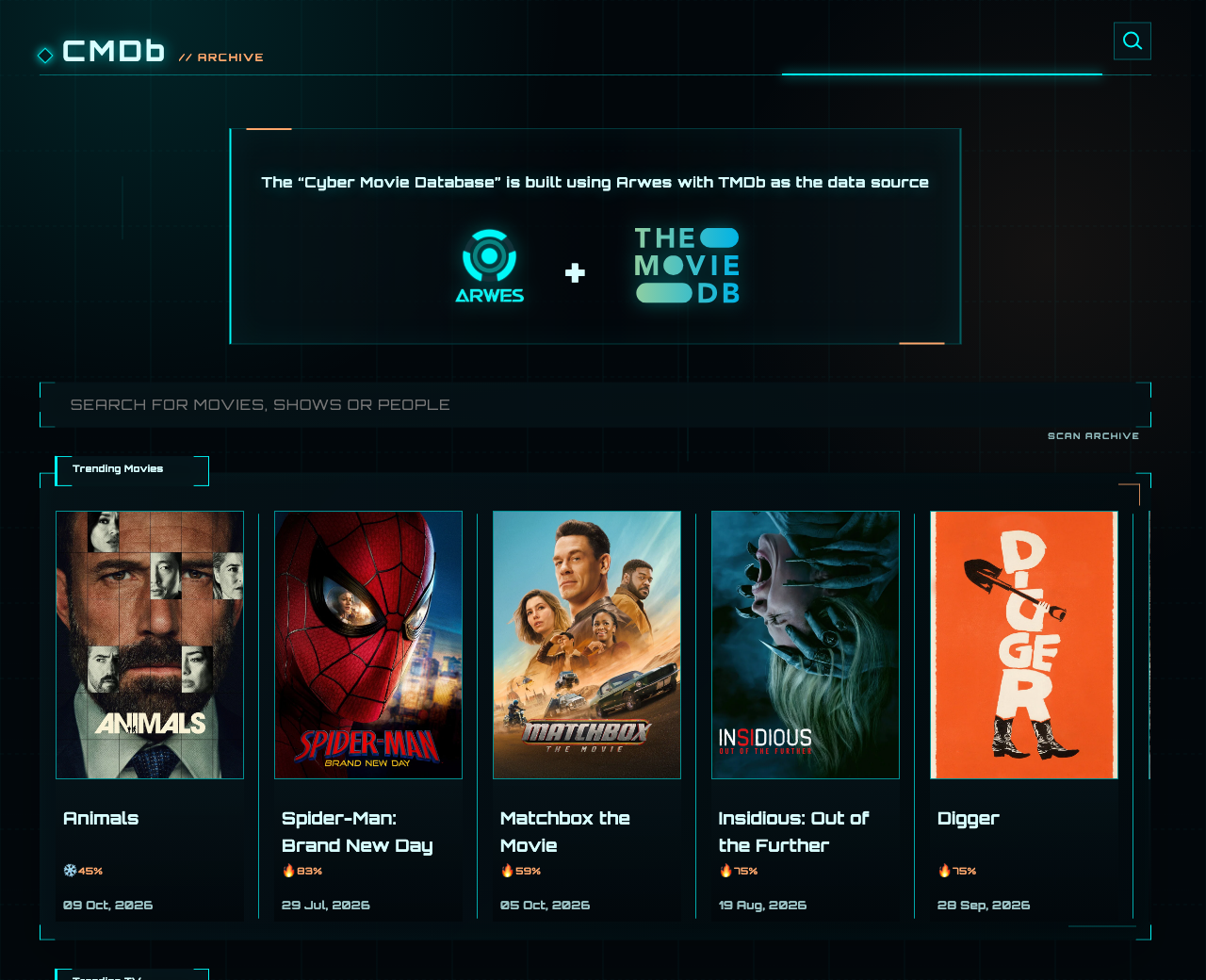
CMDb, short for Cyber Movie Database, is what came out of it. It opens with trending films and shows, and you can search across movies, TV and people. Title pages have the overview, cast, crew, reviews, related titles and whatever media TMDb has. Person pages link their credits back to other films and shows, so you can keep pulling a thread without going back to the search box.
Making it feel like a spaceship
The cyber look comes partly from Arwes, a UI library built for science fiction interfaces. I used it for the frames and motion, then built the layouts around posters, dates and credits. It’s allowed to look theatrical, but the information still has to be readable. If the glow wins over the movie title, I’ve made a very attractive mistake.
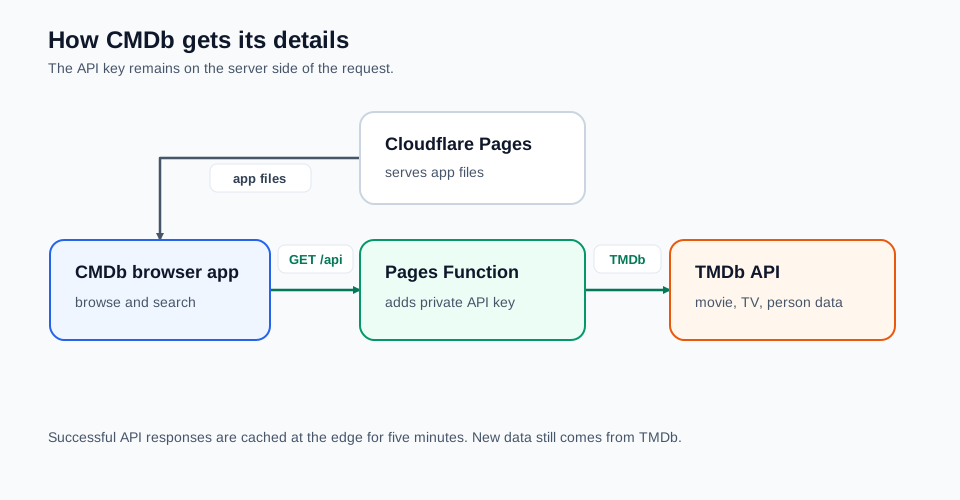
The browser gets the interface from Cloudflare Pages and asks its own site’s API for the details. The TMDb key stays in the Pages Function.
Behind the glow, the browser calls a same-origin /api route, and a Cloudflare Pages Function forwards the request to TMDb with the API key attached. The TMDb key stays in the Pages Function, so the browser never needs to know it. Successful responses are cached at the edge for five minutes, which helps with repeat requests but means a freshly edited TMDb record can take a few minutes to show up. Page changes go through React Router, and Redux holds whatever’s been fetched.
Following the credits
The home page starts with TMDb’s weekly trending movies and TV, for when I have nothing in mind. Search takes a film, series or person, and each result shows its type, a date, a rating for movies and shows, and a poster or portrait so I can spot the one I meant.
A movie page has what I want before deciding to watch something: release date, runtime, genres, overview, user rating, cast and crew, reviews and similar movies, with images and videos up top. Some titles also list streaming providers for India. That’s TMDb’s provider data, not a live check with the service, so treat it as a hint. TV pages add seasons, episode lists and episode pages with air dates, guests and crew. Very handy when I’m trying to remember the one episode where that thing happened.
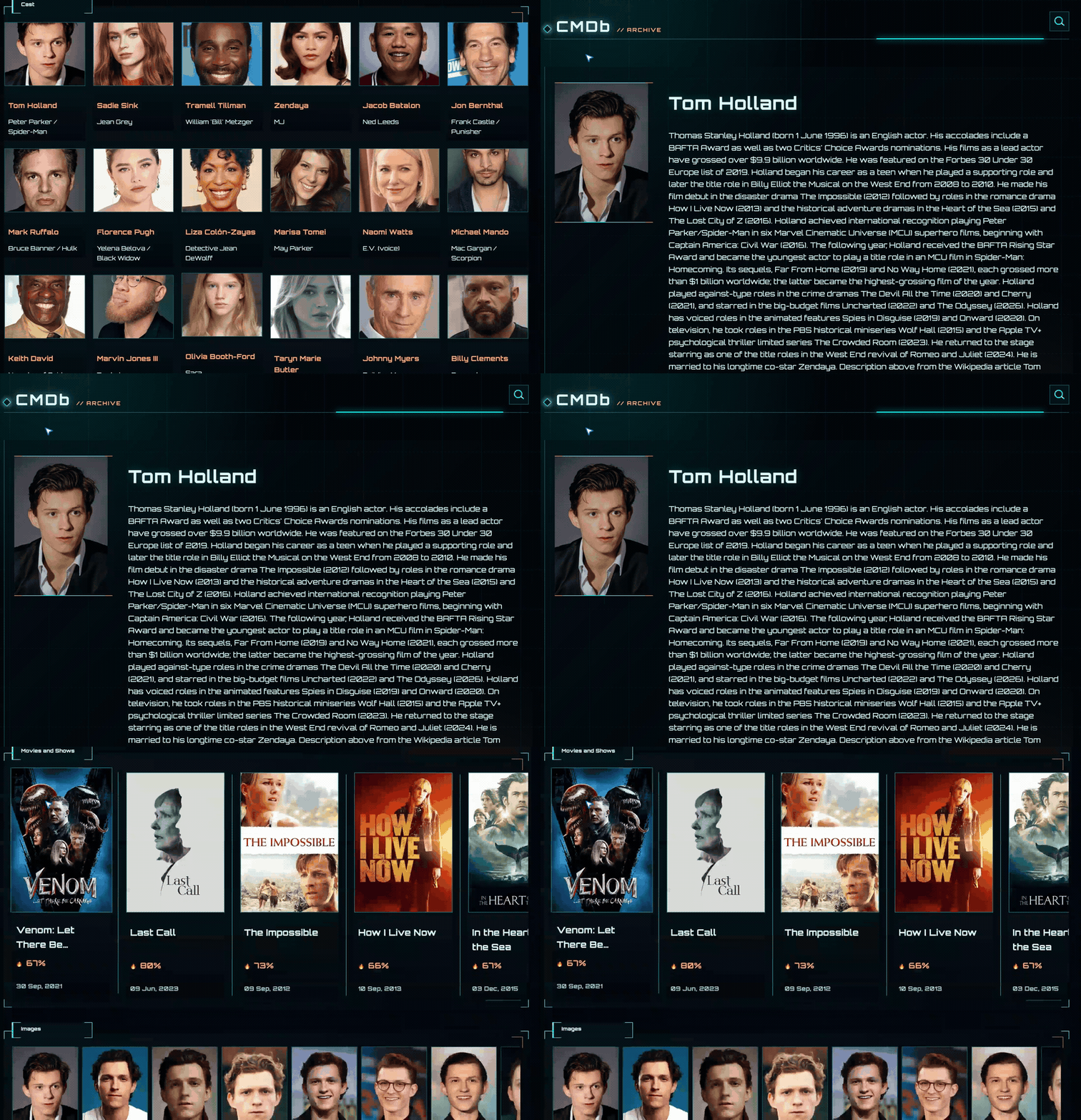
People are where the browsing loop becomes most satisfying. A cast or crew card opens a person page with a biography, images, and their movie and TV credits on one timeline. So when I recognise a supporting actor and can’t place them, I follow the credits instead of trying five increasingly strange searches. The data comes from TMDb’s combined credits endpoint, so it’s only as complete as TMDb’s records.
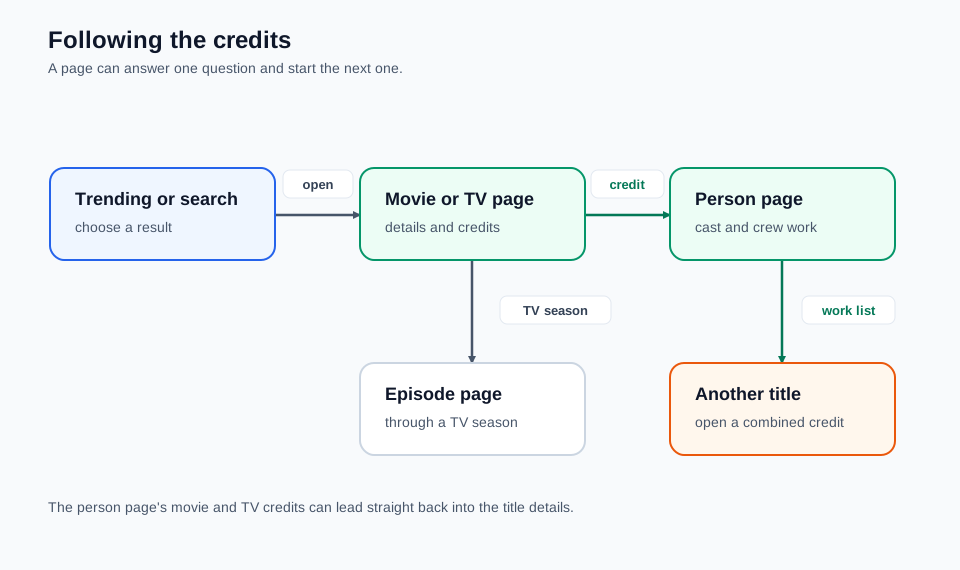
The useful loop is title, person, another title. TV seasons add a route down to individual episodes.
You can install it as a progressive web app, and the service worker caches the app files and some images. That doesn’t turn TMDb into an offline catalogue, though. New searches and detail pages still need the API. I’d rather say that up front than have an install button suggest every film ever made now lives on my phone.
Trying it yourself
Open CMDb and start with the trending row. Pick a film you know, open someone from the cast and follow one of their other credits. That shows what I built it for faster than staring at the home page. There’s no account and no watchlist. And the ratings are TMDb user averages, not my personal verdict on anything.
To run it locally, the GitHub README has the setup. You need Bun and your own TMDb API key. Put the key in .dev.vars, run bun install, then bun run dev. The dev server proxies /api the same way the Pages Function does in production. It’s a small React app, so the fun part to change is how the pages present the data.
As for that actor, it turned out to be someone from a TV show I binged years ago. Three clicks. I should have built this sooner.
じゃあまたね