The result tells you who finished where. Highlights show you the moments someone else picked. I missed the first half of a race once, caught up through the highlights, and still had no idea how the order got shuffled during the pit stops. I wanted to go back, move through the session at my own pace, and see where the cars actually were. That sounds like a video player, except there’s no video. There are timestamps, positions, lap data, race control messages and a lot of gaps in between. F1 Replay turns those records into something I can explore.
The app lets me choose an archived race, sprint, or qualifying session, then play, pause, change speed or drag the timeline anywhere. A circuit map shows the cars moving, and the panels show timing, events and telemetry when the archive has it. I like following one driver and then pulling back to see what the rest of the field was up to.
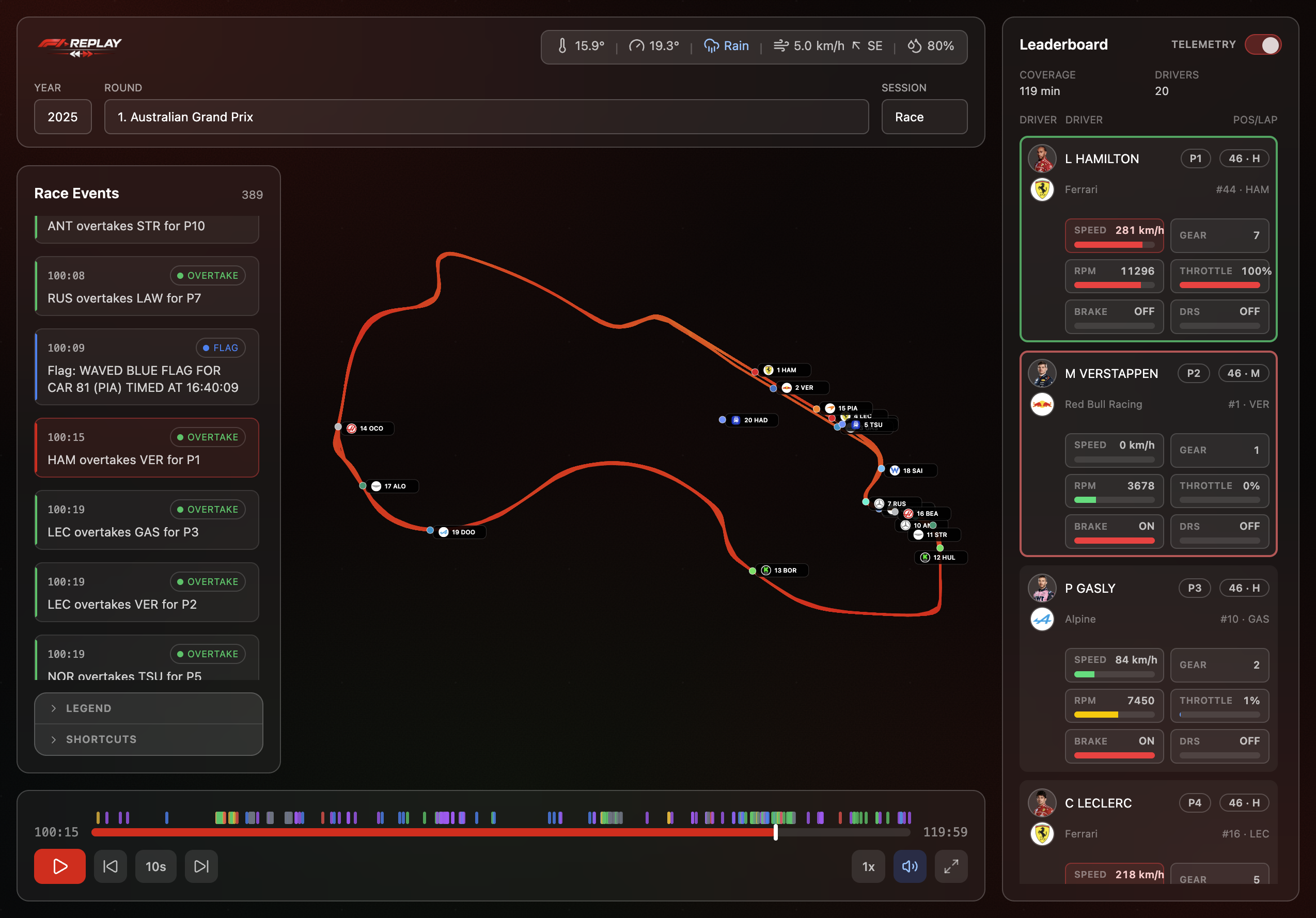
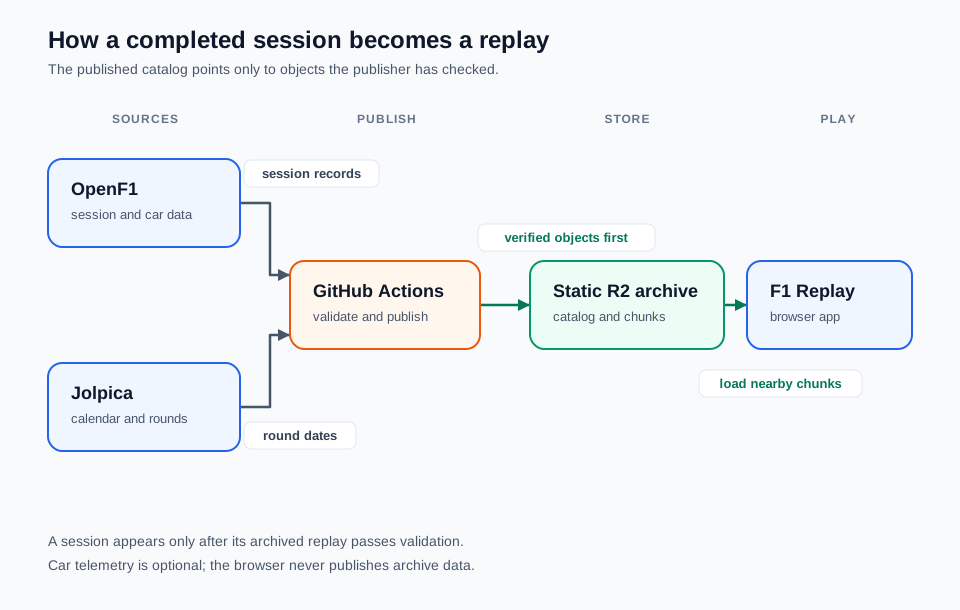
The publishing path. The browser reads finished archive objects; it does not assemble a whole race from live API calls each time I press play.
Making a race from records
OpenF1 provides the session data: approximate car locations, lap timing, weather, race control messages, team radio references and, for some sessions, car telemetry. Jolpica supplies the calendar and rounds. Right now Race, Sprint and Qualifying are supported, and an event showing up on the calendar doesn’t mean its replay is ready yet.
I didn’t want the page to depend on an upstream API being up at the exact moment someone presses play, so completed sessions go into a static archive instead. A scheduled GitHub Actions job waits for sessions to finish, pulls the records together and publishes them to Cloudflare R2. It uploads the big objects first, checks what landed, and updates the small catalog last. If a run can’t add a valid session, the old catalog still works.
A race is too large to treat as one convenient JSON file. The archive splits each session into core information plus chunks of car positions and optional telemetry. When I open a replay, the browser loads the catalog, the session’s manifest and core data, then only the position chunks around the current point on the timeline. Jumping somewhere else fetches another window. That keeps the first load and memory use sane.
Making the cars move
Once the data arrives, the fun part is making it look continuous. The replay clock walks through the recorded timestamps, and the app interpolates between location samples so the cars glide instead of teleporting. It’s still a reconstruction. If location data is missing, the app may estimate a position from lap timing and label it as estimated. If there isn’t enough for that either, the car holds its last known position instead of pretending.
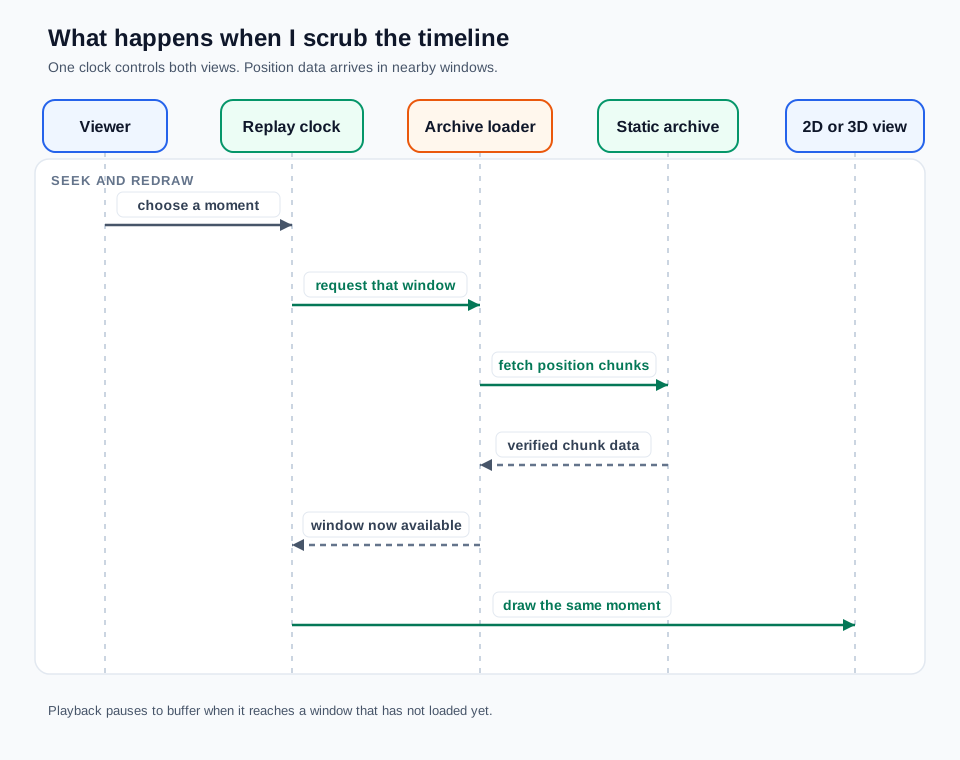
Seeking moves the shared clock. The loader fetches nearby chunks when needed, then either view draws the same moment.
The 2D map draws vectors and driver markers. The optional 3D view adds a camera, miniature cars, terrain, buildings, weather, and local light. Both use the same clock, so switching views keeps your place. The 3D code only loads when you ask for it. It tries WebGPU, falls back to WebGL2, and if the renderer can’t start at all you still have the 2D replay. My laptop fan has opinions about all those triangles.
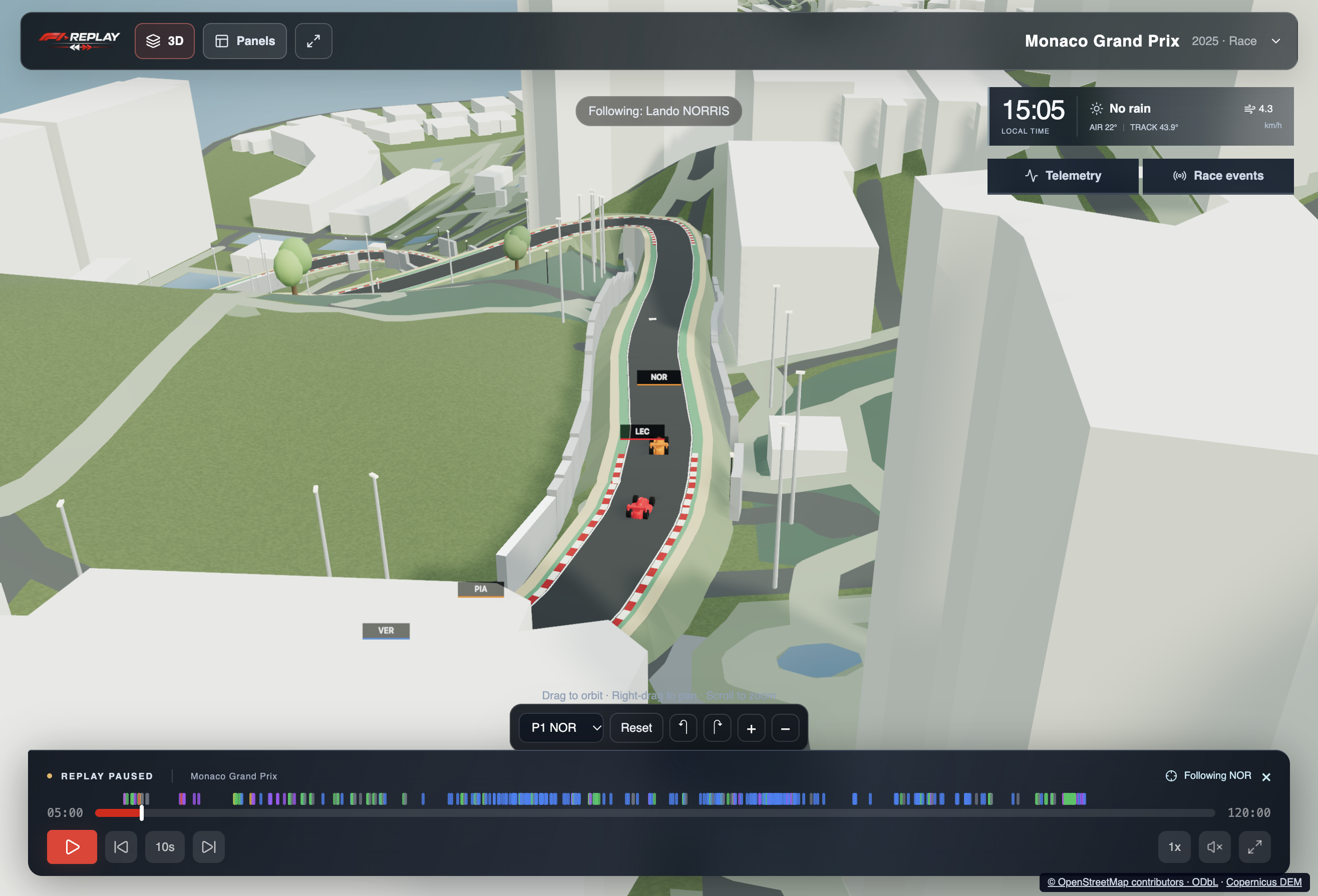
The scenery comes with a caveat. Roads, buildings, trees and terrain come from packaged map and elevation data lined up with the circuit. That’s the venue as mapped today, not how it looked in a past season. Some heights and individual trees are estimates, and the vertical relief is exaggerated so you can actually read it. Great for understanding the shape of a track. Useless as proof that a building looked like that on lap 34.
Same goes for the replay as a whole. Telemetry and team radio only appear where the archive has them, and OpenF1’s location data is approximate, especially side to side across the track. It’s a useful account of how a race unfolded, not footage. I’d rather see an honest gap than a confident little car driving through one.
Trying it yourself
Head to the F1 Replay site, pick a year and a round with a replay, then Race, Sprint or Qualifying. Start in 2D, hit play, and click anything in the events panel to jump to it. An estimated-position notice means some markers are following lap timing instead of recorded locations. In 3D, drag to orbit, scroll to zoom, and click a car or timing row to follow that driver.
The README on GitHub has the dev commands, the archive format and how publishing works. The local app uses Bun, and you don’t need R2 credentials to run the frontend against the public archive.
I still mostly use it to drag back a few minutes and look at the whole circuit. It won’t settle every argument about a race, but it usually gives me a better one to have.
じゃあまたね