My Plex watchlist is great at remembering what I want to watch. It’s not so great at telling me what I can actually watch tonight. More than once I’ve started a show from it, got three episodes in, and found out the rest come out weekly. Which shows are airing right now? Which season just wrapped up? Which one am I still waiting on? A poster grid has no idea.
So I built Plex Tracker. It reads my existing Plex Watchlist and sorts the titles by air dates. I can also group them into movies, TV shows, anime and anime movies, or sort by title or rating. It’s a different view of the same list, not another list I have to keep up to date. I have enough of those.
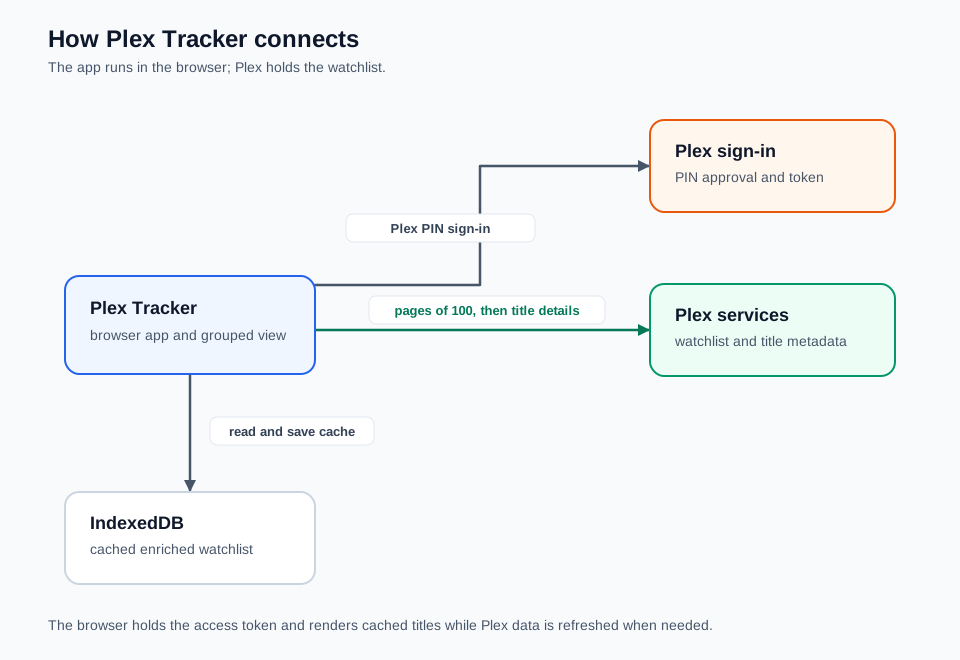
The whole path stays between the browser and Plex. IndexedDB holds a local copy so the page can show something immediately on a return visit.
Sign-in uses Plex’s PIN flow. The app opens a Plex window, waits for the PIN to be approved, then uses the access token it gets back. There’s no server of my own anywhere. The browser makes every request and keeps the token locally, which keeps things small, but also means a shared computer is now a place where my Plex session lives.
The watchlist comes back in pages of up to 100 titles, so the app keeps asking until it has everything, then fetches more metadata for each title. For shows, it checks the latest season and its episodes for dates that say more than the original release year. That’s why the first load can be slow with a long watchlist. The fetching code is pretty direct: get the full list, enrich each item, show it.
Dates, groups and a few guesses
The airing groups are estimates based on those dates. If the latest season starts in the future, the show goes in Not Yet Aired. If the latest episode is in the future, it’s Currently Airing. If that episode aired in the last 90 days, it’s Recently Ended, and anything older is Finished Airing. When Plex is missing season or episode dates, the app uses whatever it does have, sometimes just a year, so a show with patchy metadata can land in the wrong group. Good enough for browsing. Not a broadcast calendar.
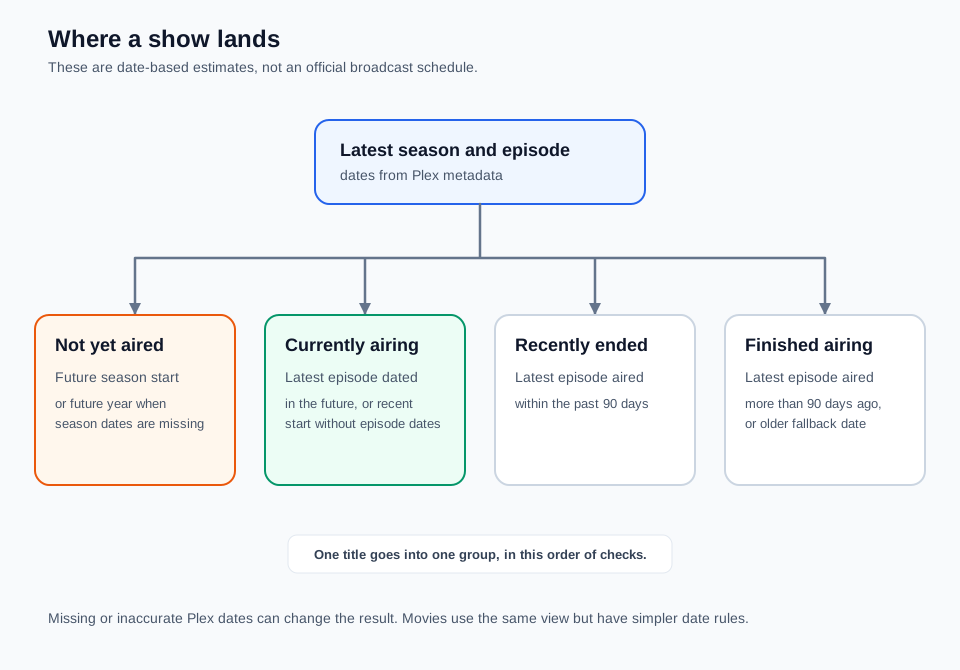
The four show groups are a reading of Plex’s dates. The 90-day line is my rule of thumb, not an official status from Plex.
Movies don’t really fit an airing timeline, so the floating controls can group by type instead. Anime comes from Plex’s genre data when it’s there, and anything without it falls back to movie or TV show. You can also filter to one type and change the sort. None of this touches the watchlist itself. I add and remove things in Plex, and this page just reads them.
Keeping a copy in the browser
Fetching every season takes a while, and I didn’t want to sit through that every time. So the app keeps a local copy of the enriched watchlist in IndexedDB. On a return visit it shows the saved list straight away and refreshes currently airing shows in the background. The cache is versioned, so old data gets thrown out if its shape changes. The catch is that titles added or removed in Plex won’t show up until I hit refresh.
None of this is clever. If Plex has a wrong air date, my grouping repeats the mistake. Signing out clears the Plex token but leaves the cached watchlist in that browser, so on a shared computer I’d clear the site data too.
Trying it yourself
You can open Plex Tracker or run the source from GitHub. Locally it’s bun install and then bun run dev, and the app opens at http://localhost:3000. You’ll need a Plex account with some titles on its Watchlist. Click “Sign in with Plex”, finish in the Plex window, and you’re back in the tracker when it closes. If your browser blocks popups, allow this one.
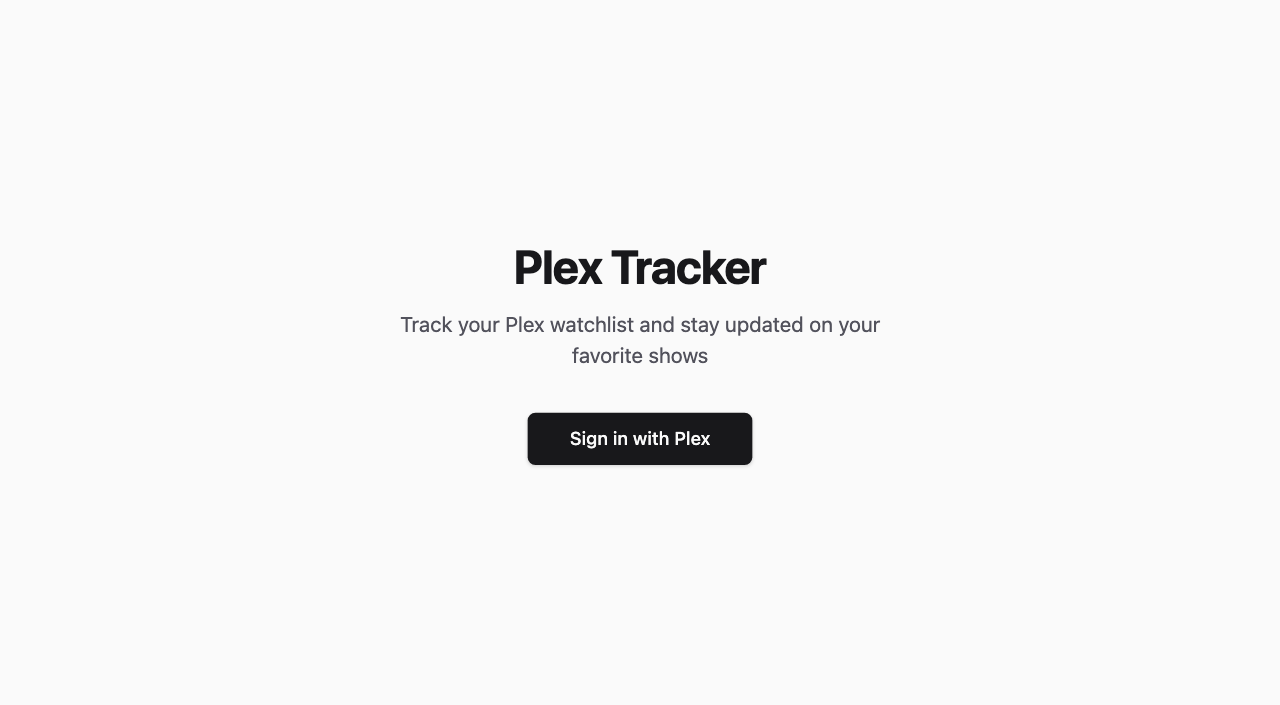
Start with a show whose season dates you know and check where it lands. The round button at the bottom right has the type grouping and filters, which are also a good way to figure out why a title ended up where it did. Cards open the title in Plex, through the app if it can and the web if it can’t.
I mostly use it to answer “what’s on my list right now?” It doesn’t pick what I watch. It just gives the list I already have a rough sense of time, which was the bit I was missing.
じゃあまたね